



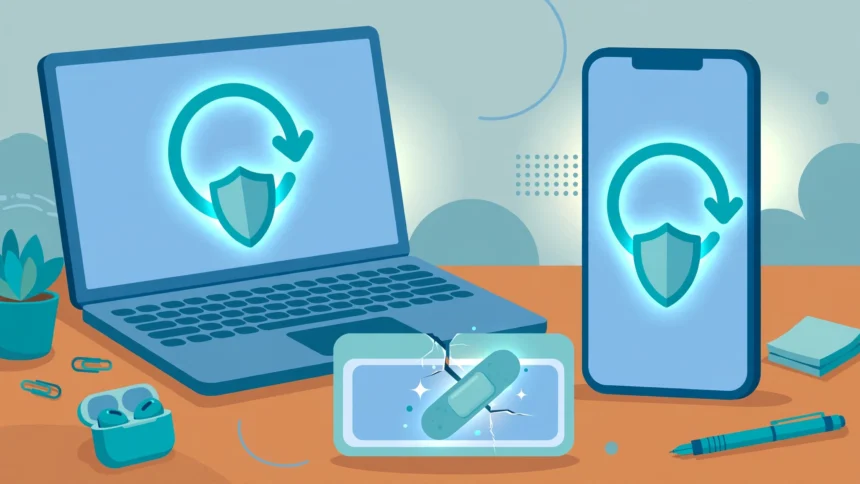
Every week or so, your phone or laptop asks for an update. It is easy to tap “later” and forget about it. But behind many of those quiet little updates sits something called a software patch — and patches are one of the simplest, strongest defences your devices have.
This guide explains, in plain English, what a software patch is, how it differs from an update or a hotfix, the main types you will meet, and why skipping them can go badly wrong. It also walks through how to check for updates on Windows, Mac, Android and iPhone, fixes the most common patch problems, and finishes with a look at what the tech site TechoElite covers on this topic.
What Is a Software Patch?
A patch is a small piece of software that fixes a specific problem in a program you already have. Think of it like a repair patch on a jacket: you do not buy a whole new jacket, you just fix the torn part.
The “torn parts” in software are usually one of three things:
- Security holes — weaknesses that criminals could use to break in, steal data or take control.
- Bugs — mistakes in the code that cause crashes, glitches or wrong results.
- Compatibility problems — clashes with newer hardware, other apps or newer file formats.
When a company such as Microsoft, Apple or Google finds a problem, its engineers write a fix, test it, and send it out as a patch. Your device downloads the fix and applies it, usually in the background or after a quick restart. Most patches are free, and for operating systems and major apps they are the normal, expected way the software is looked after.
Patch, Update or Hotfix: What Is the Difference?
These three words get mixed up all the time, so here is the simple version.
A patch is a targeted fix. It exists to solve a known problem — most often a security hole or a bug — in software you already own.
An update is the wider word. An update is any package that changes your software: it might contain several patches, small improvements, and sometimes new features. Every patch is an update, but not every update is just a patch.
A hotfix is a patch in a hurry. It is a narrow, urgent fix released quickly, outside the normal schedule, because a problem is serious and cannot wait for the next routine round of updates.
You may also hear about a zero-day. That means a flaw that attackers are already using, or that has just been revealed, before a fix exists. When you read that a company has rushed out an emergency patch for a zero-day, that patch jumps to the front of the queue — install it as soon as you reasonably can.
The Main Types of Patches
Security patches
These are the most important type. A security patch closes a hole that could let attackers into your device or accounts. Known security flaws are catalogued publicly — in the United States they are listed in the National Vulnerability Database, each with its own CVE number and a risk rating. Security patches are usually released the moment they are ready, or in a regular monthly bundle (more on that below).
Bug fix patches
Not every problem is a security risk. Sometimes an app freezes when you open a photo, a printer stops talking to a laptop, or a battery drains too fast. Bug fix patches correct mistakes like these. They rarely make headlines, but they are the reason software slowly gets more stable over time.
Feature and performance updates
Some updates add small new features, fresh designs or speed improvements. These are closer to the “update” end of the scale than the emergency end. They are nice to have, but they matter less than security patches — if you install nothing else, install the security fixes.
Why Software Patches Matter So Much
They close the door on known attacks
Here is the part many people miss. When a company releases a security patch, it also effectively announces what the flaw was. Security experts warn that once a patch is public, attackers study it to work out exactly where the hole is — and then go looking for devices that have not patched yet. In other words, the day a patch comes out, every unpatched device becomes a clearer target. The US cybersecurity agency, CISA, even keeps a public catalogue of the flaws attackers are actively exploiting, to help organisations fix the most dangerous ones first.
The WannaCry lesson
The clearest real-world example happened in 2017. In March that year, Microsoft released a patch (known as MS17-010) for a serious flaw in an old Windows file-sharing feature. In May, roughly two months later, the WannaCry ransomware worm used that exact flaw to spread itself from computer to computer. It infected more than 230,000 systems in over 150 countries, locking files and demanding payment. Hospitals in England were badly disrupted, with appointments cancelled and systems shut down.
The painful detail: the fix already existed. WannaCry did its damage on machines that had simply never installed it. Microsoft even had to issue an emergency patch for old, unsupported versions of Windows such as XP to slow the outbreak down. The lesson has not changed since: the risk is rarely that no patch exists — it is that the patch was never applied.
They keep your software working properly
Patches are not only about criminals. They fix the crashes, sync errors and odd behaviour that build up over time, and they keep your apps compatible with the services they talk to. Staying up to date is also part of staying safe online in general — we covered a similar idea in our guide to what TheAliteKeepSafe.com is and how it presents itself, where the same habit applies: know what you are running, and keep it current.
Patch Tuesday and the Monthly Rhythm
If you use Windows, your patches mostly arrive to a rhythm. Microsoft — and Adobe alongside it — releases its bundle of security fixes on the second Tuesday of every month, a day the tech world calls Patch Tuesday. IT teams plan around it, and home computers usually receive the same fixes automatically.
Apple and Google work more flexibly. Apple releases macOS and iOS updates as they are ready, including rapid security responses for urgent flaws. Google publishes a monthly Android security bulletin and sends patches to its Pixel phones first; other brands, such as Samsung, roll them out on their own schedules, which is why your friend’s phone may get an update weeks before yours.
The habit to build is simple: turn on automatic updates everywhere, and treat an unexpected “important security update” message as something to do today, not next month.
How to Check for and Install Updates
Windows
Open Settings → Windows Update and select Check for updates. Install what is offered, then restart if asked. Microsoft’s own Windows update guide also recommends leaving automatic updates switched on so security patches arrive without you having to think about them.
macOS
Open System Settings → General → Software Update. Your Mac will check and offer any available update. Apple’s support page on updating macOS explains the process, including how to turn on automatic updates so patches install in the background.
Android
Open Settings → System → Software update (on Samsung phones it is Settings → Software update → Download and install). Tap Download and install or Check for update. Because Android patches arrive through your phone’s maker, the exact menu names vary a little between brands.
iPhone and iPad
Open Settings → General → Software Update. If an update is waiting, tap Download and Install. Turning on Automatic Updates on the same screen means future security patches are handled for you.
Apps, browsers and other devices
The operating system is only the start. Browsers such as Chrome, Edge and Firefox patch themselves automatically in the background — a good reason to restart your browser now and then so the newest version can take over. Browser extensions are software too, and they need updates just like apps do; our look at PickUI, the Chrome extension for copying website designs, is a reminder of how much we now rely on these small add-ons. Phone apps update through the App Store or Play Store. And do not forget the rest of the household: smart TVs, routers, watches and fitness trackers all receive patches. Keeping a fitness app and its companion software current, for example, helps everything sync smoothly — as anyone who has followed our guide to syncing Garmin steps to Apple Health will know, up-to-date apps save a lot of head-scratching.
Common Patch Problems and Simple Fixes
- The update seems stuck. Give it time first — big updates can sit at one percentage for a while. If it truly has not moved for hours, restart the device and run the check again.
- “Not enough storage” errors. Delete or move photos, videos and unused apps, then retry. Phones and laptops need spare room to unpack an update before they can install it.
- The update fails with an error code. Restart, connect to stable Wi-Fi, plug the device into power, and try again. If it keeps failing, search the exact error code on the maker’s official support site — the fix is usually listed there.
- Something works worse after an update. This does happen occasionally. Restart first; many glitches vanish. If a specific app misbehaves, check its store page for a follow-up fix — developers often patch their own patches within days.
- The device keeps asking to update, over and over. This can mean the update is failing silently each time. Try the steps above, and on a computer, make sure the date, time and internet connection are all correct, as update systems depend on them.
What TechoElite Covers on Software Patches
TechoElite (techoelite.com) is a consumer technology blog that publishes reviews, guides and buying help across topics such as smart homes, gaming, mobile phones and PC performance. It is a site for reading and learning — it does not sell software or run a patch-download service, and you should always take the patches themselves from the software maker, never from a third-party download page.
On this topic specifically, TechoElite publishes a practical guide titled “How TechElite Software Patches Keep Your Systems Secure”, which walks readers through how software patches protect a system. It sits within the site’s wider mix of how-to guides and explainers, which include its software and gaming collection and its smart home guides. If you want a second plain-English walkthrough of patching to set beside this one, TechoElite’s software patch guide is the page to look for.
One honest caution applies to TechoElite and to tech blogs in general (this one included): use guides to understand a topic, but use the maker’s own pages — Microsoft, Apple, Google, your phone brand — as the final word on downloads, settings and version details.
Frequently Asked Questions
Are software patches free?
Almost always, yes. Security patches and bug fixes for operating systems and mainstream apps are part of the price you already paid for the product or device. If a website ever asks you to pay for a “patch”, close the page — that is a classic scam pattern.
How often should I patch?
Let automatic updates do the work, and they will patch you as fixes are released. It is still worth a manual check once a month — around Patch Tuesday if you use Windows — to catch anything that failed quietly.
Do I really need to restart after an update?
If the device asks, yes. Many patches replace files that are in use while the system is running, so the fix only fully takes effect after a restart. Putting it off for weeks quietly leaves the old, unpatched code in charge.
Can a patch break things?
Occasionally. A fix can clash with an unusual setup or an old app. It is uncommon, and makers usually rush out a correction when it happens. For most home users, the risk of not patching — especially security patches — is far higher than the risk of patching.
What should I do about a zero-day warning in the news?
Check for updates on your devices that day and install what is offered. A zero-day means attackers are already using the flaw, so the matching patch, when it lands, is the one update not to sit on.
Final Words
A software patch is a small thing with an outsized job: it fixes the exact problems — above all, the security holes — that yesterday’s software got wrong. The pattern from WannaCry to today’s monthly Patch Tuesday bundles is always the same: the fix exists, and it only protects the people who install it. Turn on automatic updates, restart when asked, and let sites such as TechoElite explain the “why” while the makers supply the “how”. Your future self, clicking through a news story about the latest attack, will be glad you did.
Want more plain-English tech explainers? Subscribe to WriteWhiz — new guides every week.