


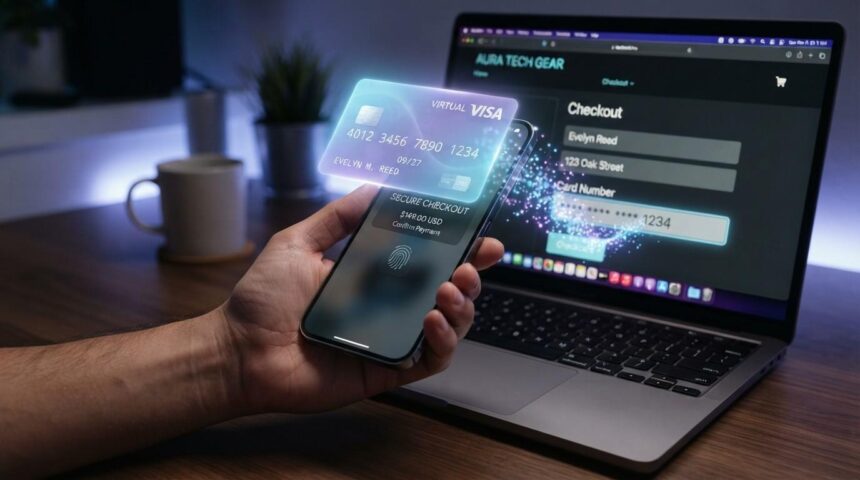
A VCC (virtual credit card) is a digital, often temporary card number linked to the real account that lets you pay online without exposing your actual card details. In plain terms, it’s a stand-in number – with its own CVV and expiration date – that keeps your true card hidden from merchants and hackers.
If you’ve seen the term “VCC” and want to know what it is, whether it’s safe, and when to use one, you’re in the right place. This guide walks through how these cards work, how they compare to a physical card and a digital wallet, and the simple steps to get one.
A quick, honest note before we start: this is general educational information, not financial advice. Card features and fees vary, so always confirm the details with your own bank or card issuer.
Key Takeaways
- What a VCC is – A digitally generated card number tied to your real credit or debit account, used mainly for online payments.
- Why it exists – It masks your true card number, so a merchant or a data breach never sees your real details.
- How it works – Charges route to your linked account while the merchant only sees the disposable number.
- Safety – Generally safe; a stolen virtual number can be frozen instantly and often can’t reach your real account.
- Main limit – Built for online and phone orders; usually not accepted at in-store checkout terminals.
- Where to get one – Through your bank’s app, a dedicated provider, or wallet tokenization.
What Is a VCC (Virtual Credit Card)?
A VCC is a digitally generated card number – with its own number, expiration date, and CVV – tied to a real credit or debit account. You use it for online and card-not-present payments while your actual account details stay hidden.
Think of it as a mask for your real card. When you shop online, the merchant sees the virtual number, not your true one. If that merchant is later hacked, your real account stays out of reach.
People mix up a few terms here, so let’s clear them up. A virtual credit card, a virtual card number, and a digital card all point to the same basic idea: a card number that lives on your phone or browser instead of on plastic. As Capital One explains, these numbers are linked to your account but stand in for your physical card so you can shop without sharing it.
Here’s a quick scenario. Say Maria buys a gadget from a store she’s never used before. She generates a virtual number in her banking app and pastes it at checkout. To the store, it looks like a normal card. Maria’s real account number never leaves her wallet.
How Does a VCC Work?
A VCC works by generating a temporary card number linked to your main account, so charges route to your real balance while the merchant only sees the disposable number. Your bank quietly connects the two behind the scenes.
Here’s the typical flow:
- Generate a virtual number in your issuer’s app or browser tool.
- Set limits such as a spending limit or an expiration date.
- Pay by entering the number at online checkout.
- Settle – the amount posts to your linked account like any normal charge.
- Freeze or expire the number when you’re done.
Most providers offer two flavors. A single-use (disposable) card number dies after one purchase, which is great for one-off buys on unfamiliar sites. Amulti-use or merchant-locked number stays active but works only at one store, which suits recurring bills.
Behind all this sits tokenization – the process of swapping your real card data for a substitute value during a card-not-present transaction. Your true number is never handed over.
Picture a common trap. You sign up for a “free” trial that plans to auto-charge $79 once it ends. If you paid with a spend-capped VCC set to a $0 limit after the trial, that surprise renewal simply gets declined. You keep your money and your peace of mind.
Read Also: Money6x.com Review: Genuine Online Earning Platform Guide
VCC vs. Physical Card vs. Digital Wallet
Each tool has a job: VCCs win for online privacy and control,
physical cards win for in-person and ATM use, and digital wallets win for tap-to-pay convenience. Here’s how they stack up.
| Feature | Virtual Credit Card (VCC) | Physical Credit Card | Digital Wallet (Apple Pay / Google Pay) |
|---|---|---|---|
| Best use case | Online and phone orders | In-store, ATM, deposits | Tap-to-pay in stores and apps |
| Where it works | Online checkouts | Nearly everywhere | Contactless terminals and online |
| Shows your real number | No | Yes | No (uses a token) |
| Spending limit control | Yes, per card | Limited | Limited |
| Single-use option | Often yes | No | No |
| Speed to get one | Seconds, in the app | Days, by mail | Minutes to set up |
The digital-card mix-up trips up a lot of readers. A digital wallet and a virtual credit card are related but not identical. As Capital One notes, both hide your real number using tokenization, but a wallet is built to tap in stores while a VCC is built mainly for online use.
One practical limit matters most: VCCs are made for online and phone orders and usually won’t work at a physical point-of-sale terminal, since you can’t swipe or tap a number that has no plastic.
Benefits, Risks, and Are VCCs Safe?
Yes, VCCs are generally safe and can make online payments safer, because a stolen virtual number can’t reach your real account and can be frozen in seconds. That single feature solves a big chunk of everyday shopping worry.
The benefits group into three themes:
- Security – Masked and often single-use numbers mean a leaked card is worthless to a thief.
- Privacy – The merchant never stores your real details.
- Control – You can set spending limits, then pause or delete a card without touching your main account.
Be honest about the drawbacks, though. VCCs have limited in-store acceptance. They can cause headaches with hotel check-in or car rental holds, where staff may want to see the physical card. Some third-party or business providers charge fees, and refunds can get trickier if the number has already expired.
Fraud is a real and growing problem, which is why these cards matter. The FTC reported that consumers lost more than $12.5 billion to fraud in 2024, a 25% jump over the prior year. Payment systems also follow security standards like PCI DSS to protect card data, but no system is perfect.
Consider a real-world case. A popular retailer suffers a data breach and thousands of stored card numbers leak. A shopper who checked out with a single-use VCC shrugs it off – the leaked number was already dead the moment their order shipped.
Read Also: Money6x.com Review: Genuine Online Earning Platform Guide
How to Get and Use a VCC (Step by Step)
You get a VCC through your existing bank or card issuer’s app, or through a dedicated provider, then generate a number in seconds. No new plastic, no waiting for the mail.
Here’s the simple path:
- Check whether your issuer offers virtual cards.
- Open the mobile app or browser extension.
- Generate a new number.
- Set a spending limit and expiry that match the purchase.
- Paste the number at checkout and pay.
Plenty of names offer them. Major issuers like Capital One, Citi, and American Express support virtual numbers, third parties like Privacy.com specialize in them, and wallet tokenization runs through Apple Pay and Google Pay. Networks such as Visa and Mastercard power the transactions, and services like PayPal add another layer between your card and the store.
Who benefits most? Frequent online shoppers, subscription-heavy users, freelancers and small businesses tracking ad or SaaS spend, and anyone buying from an unfamiliar site.
A few common mistakes to sidestep:
- Using a single-use number for a recurring subscription, so the next payment fails.
- Forgetting to set an expiry before a renewal date.
- Assuming a VCC will work for in-store checkout or a deposit hold.
The Bottom Line
If you shop online at all, setting up a virtual card is one of the easiest security upgrades you can make today. Open your bank’s app, look for a “virtual card” or “card controls” option, and generate your first number before your next purchase.
Start small: create a single-use number for that unfamiliar store you’ve been eyeing, or a merchant-locked one for a subscription you keep meaning to cancel. If your issuer doesn’t offer VCCs yet, a dedicated provider or a digital wallet can give you similar protection.
FAQ
What does VCC stand for?
VCC stands for virtual credit card. It’s a digital card number linked to your real account that you use for online payments instead of your physical card. It carries its own number, expiration date, and security code.
Is a VCC the same as a digital card?
They overlap but aren’t identical. “Digital card” is a broad term for any card stored on your phone or browser, while a VCC is a distinct number – often temporary – generated specifically to mask your real account online. Every VCC is a digital card, but not every digital card is a VCC.
Are virtual credit cards safe?
Yes. Virtual credit cards are generally safe because the number is masked, freezable, and often single-use. If it leaks in a breach or a thief grabs it, you can delete it in seconds without affecting your real account. Always pair it with strong passwords and secure sites.
Can I use a VCC in a physical store?
Usually not. VCCs are built for online and phone orders and typically won’t work at in-store terminals, since there’s nothing to swipe or tap. The exception is a card loaded into a digital wallet like Apple Pay or Google Pay, which uses tokenization for tap-to-pay.
Do virtual credit cards cost money?
Often no. Many banks and card issuers offer virtual cards free as a built-in feature. Some third-party services and business-focused tools charge fees for extra controls or higher limits, so check the terms before you sign up.
How do I cancel or freeze a VCC?
Open your issuer’s app or website, find the virtual card manager, and pause or delete the number. This stops future charges – including unwanted subscriptions – without touching your real card. Just update any legitimate recurring payments so they don’t fail.
Can I get a refund on a purchase made with a VCC?
Yes. Refunds route back to the linked account even if the virtual number has expired. As Capital One outlines, the credit lands on the account the virtual card was tied to. If you hit a snag, contact your issuer to confirm.
Who offers virtual credit cards?
Many major issuers do, including Capital One, Citi, and American Express, along with dedicated providers like Privacy.com. Digital wallets such as Apple Pay and Google Pay also use tokenized numbers, and networks like Visa and Mastercard process the payments behind the scenes.
For more quality, informative content, visit writewhiz.